jQuery Flipbook – The best method to create it in minutes for free

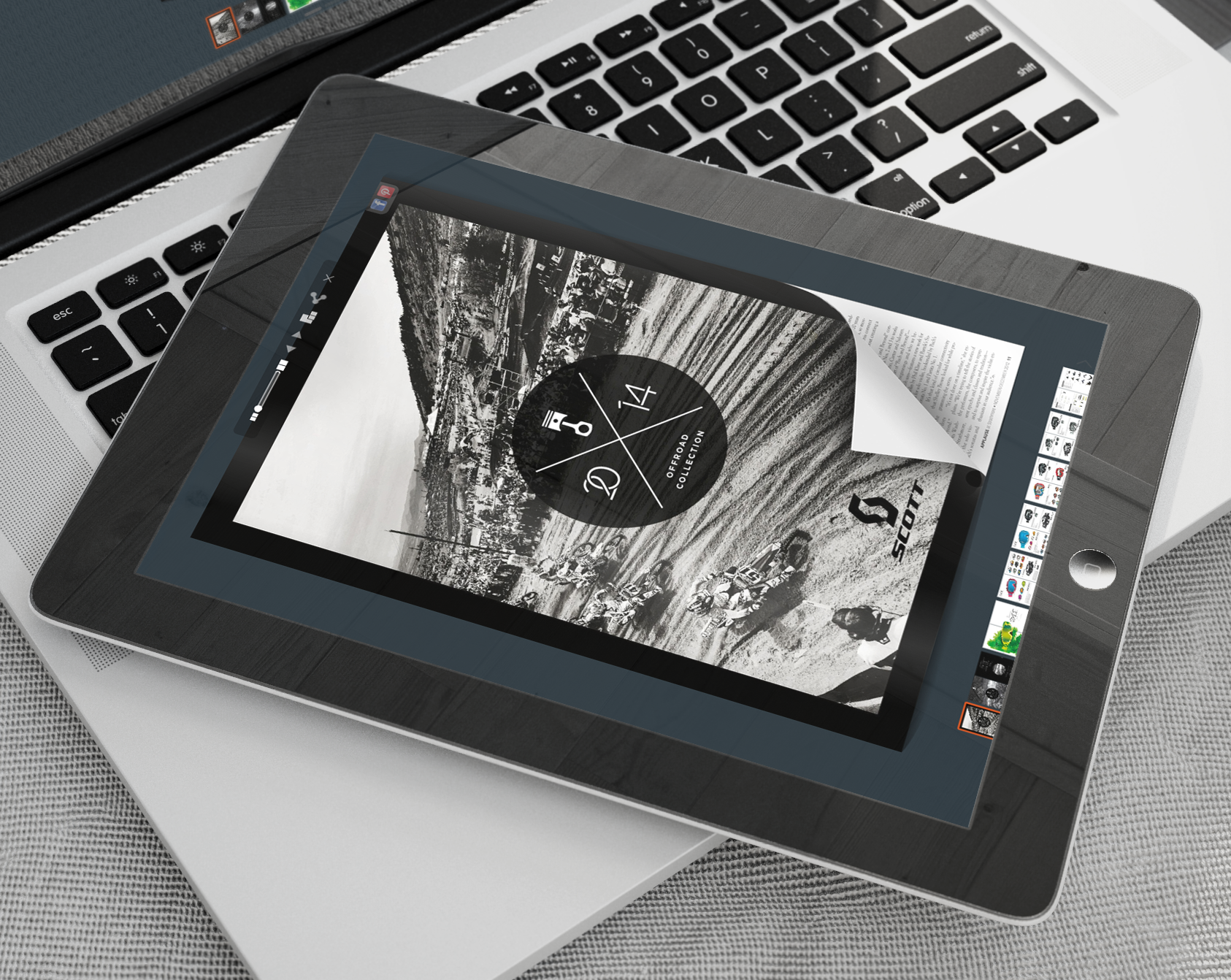
Web Technology has totally revolutionized the marketing world. The manner in which products and content is presented via the internet has changed the dynamic of customer engagement and the level of control that businesses and marketing professionals have over the user experience. The ability to create HTML5 type documents with highly animated features has become available to the masses, and the process is extremely easy. With the conversion software offered at YUMPU Publishing, you can literally upload a pdf document and convert it into a jQuery flipbook in a matter of minutes. This software is simple enough that anyone can use it.
The Ultimate in Flipbook Effects
The use of eBooks to disseminate information is nothing new. EBooks allow users to access information from any device. They can either read the information online through their browser or they can download the book directly to their device and read it at their leisure. The manner in which eBooks are now presented provides a higher level of interactivity. With flip book technology, the eBooks have more realistic appeal to traditional book readers. The pages literally flip like a paperback page would — instead of sliding or scrolling like many of the traditional eBooks. In addition to the page flipping capability, these books also provide the sound effects that make the experience even more realistic.
The software offered at YUMPU Publishing allows authors and businesses to create high quality flipbooks in a matter of minutes. With content playing such a major role in the way that businesses and marketers are able to engage their target audience, having a software tool that allows you to generate content that is engaging and remarkably interactive provides the competitive edge that can move you ahead of your competitors.
jQuery Flipbook Remarkably Easy Process
One of the challenges commonly associated with using conversion software is the complexity that seems to be inherently built into the software. When a user engages a software, they want to be able to work their way through it without the use of a 20-page manual. The software at YUMPU is highly intuitive, allowing users to easily identify each step. The user interface is not cluttered an unorganized, which is one of the most common complaints about software. The well-organized thoughtfully placed tabs make it a snap.
The average person can log onto the site, upload and covert a pdf into a flipbook in less than five minutes. One might postulate that a process so fast would produce a product of inferior quality, but that could not be further from the truth. The quality for jQuery flipbooks created at Yumpu.com is of the highest quality and functionality. YUMPU is the world’s leading digital publisher, and there is a very good reason for that. They generate quality products that authors can be proud of and readers can enjoy.
Exploiting the Advantages
Once you use the cutting edge technology available at YUMPU, you will want to immediately take advantage of the other benefits that are available to you. Creating and publishing your flipbook at YUMPU immediately exposes your book to millions of readers. YUMPU has millions of readers that browse their library on a daily basis. These readers will not have direct access to your work.
When you create your document, you are asked to create your title and add a meta-description. This help readers easily identify what your book is about, so that they can easily access it. You can control how your book will be viewed by the readers on YUMPU. Some authors make their books “read-only.” This is normally done when they have their book for sale on another platform or they want to use the book to push viewers to their site. Others will allow readers to download the complete flipbook. This allows readers to gain complete access to all that is contained in the book. This is a good strategy for those who are attempting to build a level of connectivity and trust with their readers. Whatever you choose, you will find that YUMPU makes it easy for you.
Additional Exposure
When you convert your pdf file to a jQuery flipbook an embed code will be automatically generated. You can use this code to embed the book directly into your website or blog. You can even use it to embed the book into a standalone landing page. This is an effective way to create more exposure for your book and your overall brand.
YUMPU Publishing also uses social media integration as a promotional tool. This means that as readers discover your book they will be able to share it on a number of social media platforms with ease. This immediately gives your book viral potential. Flipbooks take the user experience to the next level, allowing you to maximize your branding and promotional efforts.


Leave a Reply
Your email address will not be published. Required fields are marked *
Comment sent successfully.
Comment could not be sent.
Welcome to YUMPU!

My name is Belinda Reiler.
I am very excited to begin my second year at YUMPU! What I really love about Yumpu.com is that everyone - without any technical knowledge - can create amazing looking online magazines!
What do we offer:
 Create flippable PDF for free
Start now and create and publish your own flippable magazine in just a few minutes!- Solutions for everyone
Create page flipping publications online. From beginners package to your own WEBKiosk and your own APP – there is a solution for everyone.
What our customers say:
"YUMPU convinced us with easy handling and a competitive price. YUMPU offers great performance and support. Other companies have to adjust to compete with it."

ALEX LENZ
40INCH.DE
"I love the whole idea of YUMPU and especially the people behind it, which I previously got to know! I am happy to recommend YUMPU."

GREGOR FILSER
TISCHLER-REISEN.DE
Satisfied customers tweet:
 We’re using www.yumpu.com for 2 months now. Their service is head and shoulders above what other ePaper websites have to offer.

 If you want your publication to look professional, visually stunning & expensive, you should consider #YUMPU free service.


I have been looking for a couple of days now at the different aspects of where to host my magazines, Yumpu.com wins all the time